
SomaFM Player: A Native macOS Menu Bar App for SomaFM
SomaFM is one of the best internet radio stations out there — 30+ commercial-free, listener-supported channels of underground and alternative music. I’ve been listening for years, but I wanted a better way to play it on my Mac without keeping a browser tab open or using a full media player.
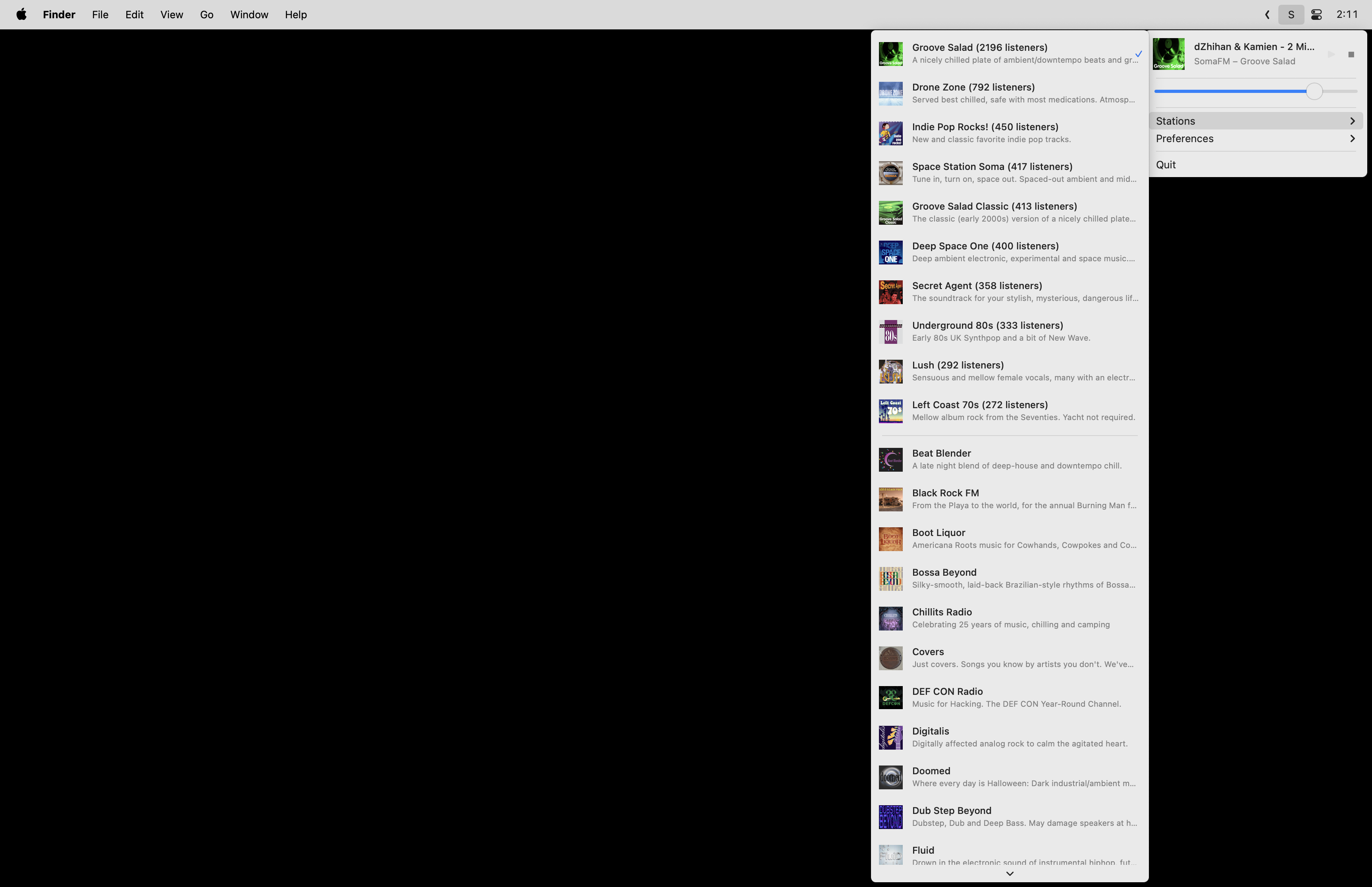
So I built SomaFM Player, a native macOS menu bar app that gives you quick access to every SomaFM station from your status bar.
Features
- All 30+ SomaFM stations — top 10 by listener count first, then the rest alphabetically
- Live track updates — see what’s currently playing, updated every 10 seconds
- Media key support — play/pause with your keyboard media keys
- Independent volume control — adjust the app volume without changing system volume
- Clickable track titles — click to search for the current song
- Auto-play on launch — picks up where you left off
- Dark mode support — looks right on any macOS appearance
- Lightweight — lives in the menu bar, never touches the dock
Install
Homebrew:
brew tap retlehs/tap
brew install --cask somafm-player
Or download the latest release directly from GitHub Releases.
How it’s built
The app is written in Swift using native Cocoa — no Electron, no SwiftUI, just NSStatusBar, NSMenu, and AVPlayer. It has zero external dependencies.
Architecture. The app follows MVVM with protocol-based dependency injection. A SomaFMService fetches channel data from SomaFM’s JSON API, an AudioPlayer wraps AVPlayer for streaming, and a StatusBarViewModel ties everything together with Combine. All UI updates flow reactively through @Published properties.
Streaming. The app selects the highest quality playlist available from the SomaFM API and streams it through AVPlayer. It handles audio device changes gracefully — switch your headphones and playback continues.
Resilience. Network requests use exponential backoff with jitter (1s, 2s, 4s, up to 8s) and retry up to 3 times. The app differentiates between retryable errors like network failures and non-retryable ones like bad URLs, so it doesn’t waste time retrying things that will never work.
Image caching. Station artwork is cached in memory with a 100-image, 50MB limit. Images are resized to display size on download to keep memory usage low. Concurrent requests for the same image are coalesced so you don’t end up with duplicate downloads.
Persistence. A custom @UserDefault property wrapper stores volume, auto-play preference, and last played channel in UserDefaults — simple and reliable.
The entire app is about 1,800 lines of Swift. The build and release pipeline uses GitHub Actions for testing, code signing, notarization, and automatic Homebrew cask updates on new tags.